Removing Old Profile Due to Updated Certification
If you were a student in a previous semester or installed eduroam before August 26, 2026 and are having issues connecting to eduroam, your device could have an old security certificate. This will require you to first remove the eduroam profile and then re-install eduroam on your device to receive the new certificate.
Please follow the instructions below to delete your old profile and re-install eduroam with the new certificate.
-
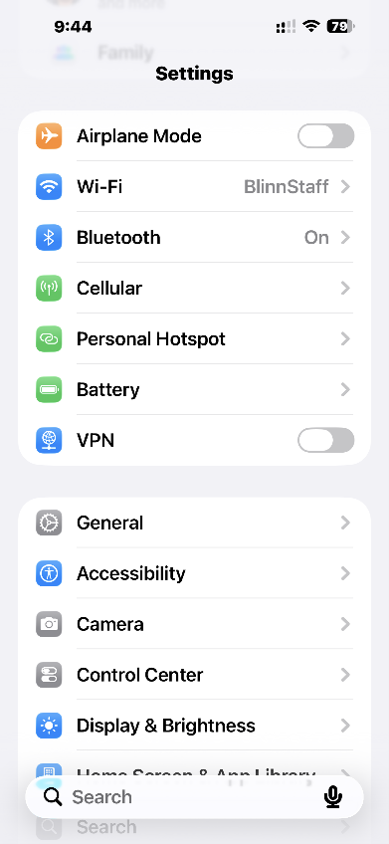
Go to Settings and find General.
-
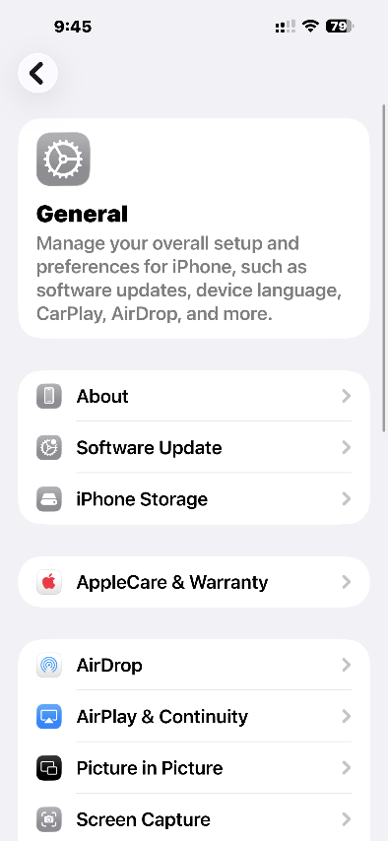
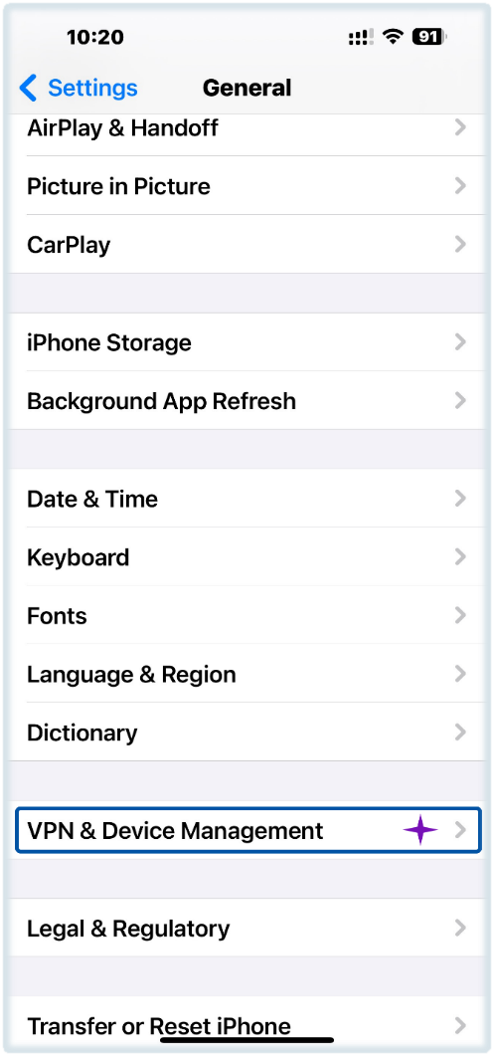
Tap General and find VPN & Device Management.
-
Once you find VPN & Device Management, tap it.
-
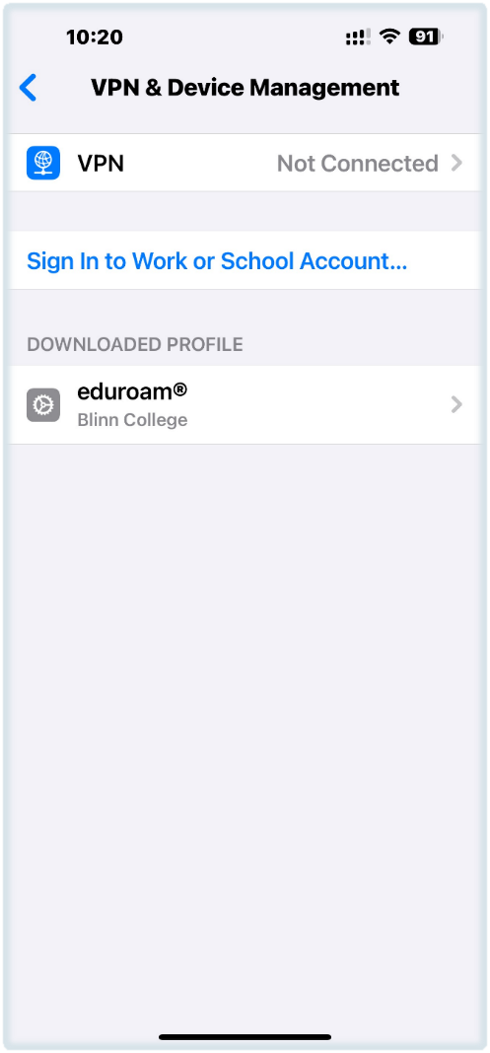
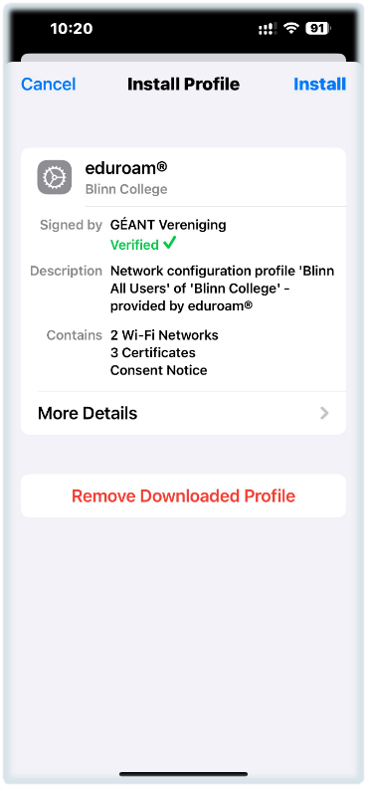
You should see eduroam under Downloaded Profile. Tap eduroam.
-
To delete your profile, tap Remove Downloaded Profile.
You are now ready to re-install eduroam with the new certificate.